

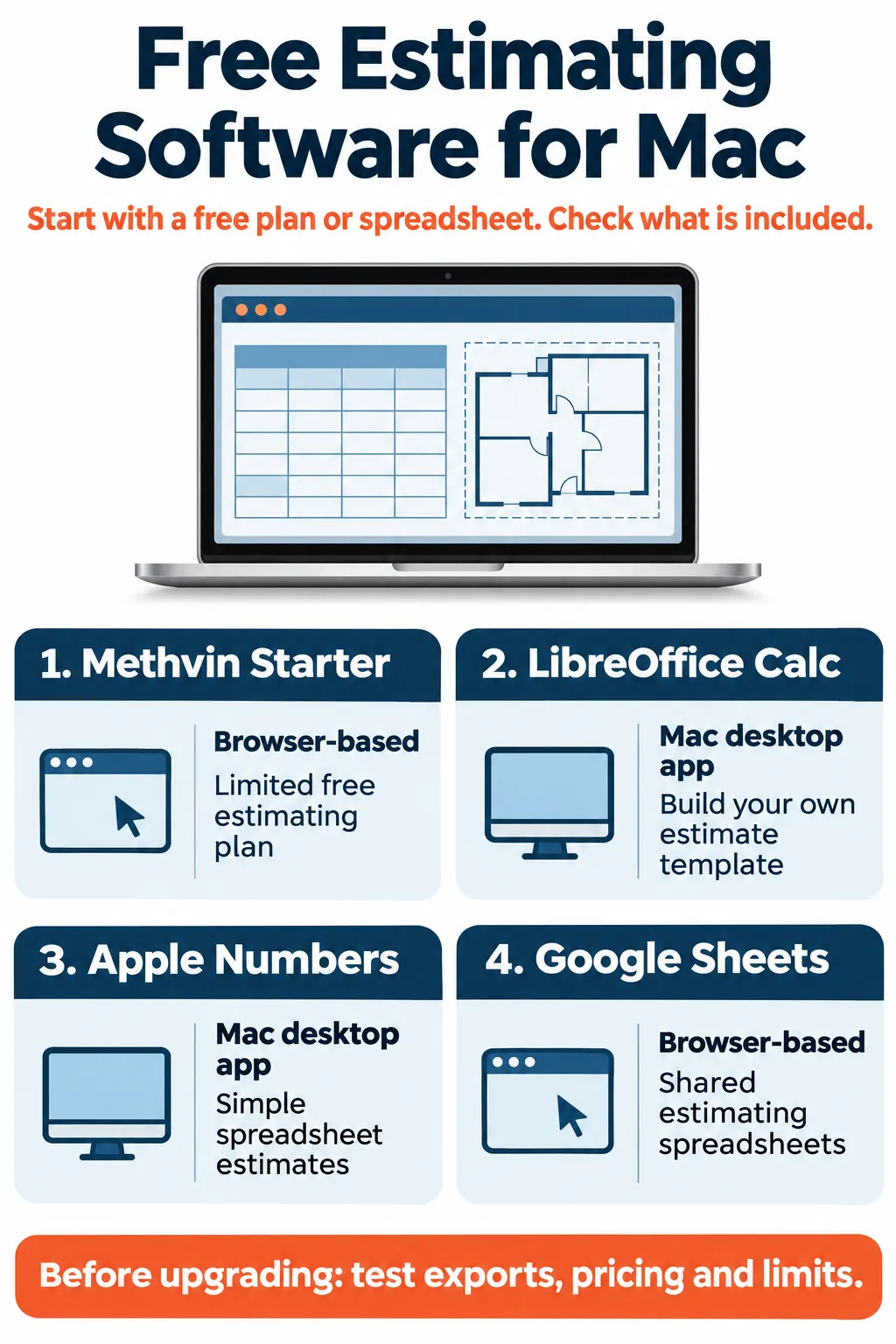
For free construction estimating software for Mac, start with Methvin Starter for a limited construction-specific cloud plan. LibreOffice Calc and Apple Numbers offer free desktop spreadsheet workflows, while Google Sheets supports shared estimating spreadsheets in a browser. Choose according to whether you need an estimating application or a template you maintain yourself. Free access, Mac compatibility and included features are separate checks.
For Australian builders and trades, the useful question is whether a free tool can complete the estimate you need to deliver. This shortlist uses published vendor information to check the allowance, Mac access and practical limitations before comparing paid alternatives.
If the bigger problem is keeping up with tenders, Cost Solution helps Australian construction businesses add dedicated Filipino estimators who work within their software, rate libraries and review process.
Methvin Starter: free construction estimating with project limits
Mac access: browser-based. Free offer: a Starter plan with one free app. Methvin’s pricing page limits its Estimating, Job Costing and BIM apps to five projects on Starter, and shared apps are read-only. Choose the relevant estimating app and confirm the access your workflow needs.Methvin Pricing
Methvin is the construction-specific starting point in this free shortlist. It is worth assessing when you want a structured estimating environment rather than maintaining every calculation in a blank workbook. Its system guidance includes Mac operating systems and current web browsers.System Requirements for Methvin
Best fit: a small estimating workload that can operate within the free app and project allowance. Main limitation: one free app does not establish that the whole estimating, takeoff and job-costing suite is included. Test the required handover and export before committing live tenders.
LibreOffice Calc: free desktop estimating spreadsheets for Mac
Mac access: an installed desktop application. Free offer: the office suite is available without licence fees, including for business use. Download from the official LibreOffice website and select the appropriate Mac build.Frequently Asked Questions
Calc can support a construction estimate built around descriptions, quantities, units, material rates, labour allowances, subcontractor prices and totals. You create the structure and formulas. That makes it useful for a solo estimator or builder with an established workbook and a separate quantity-measurement process.
Best fit: desktop spreadsheet estimating with control over local files. Main limitation: the team maintains its own estimating logic and rate information. Check imported workbooks carefully, particularly macros: LibreOffice’s documentation explains that its programming interfaces and Microsoft VBA are not entirely compatible.Getting Started with Calc
Apple Numbers: free spreadsheet estimates in a Mac app
Mac access: an installed Apple spreadsheet app. Free offer: core Numbers remains free. Apple distinguishes this from the premium templates, content and intelligence features offered through an Apple Creator Studio subscription.Apple Creator Studio
Numbers is worth considering for straightforward estimates when you prefer an Apple desktop workflow. Build a controlled template with separate quantity, rate and allowance fields, then organise costs by trade or work section. Keep the customer-facing summary separate from the working calculations.
Best fit: simple estimates maintained by a Mac-based user. Main limitation: it is a general spreadsheet, so construction cost libraries and quantity takeoff need their own process. Test the exchange format used by clients or colleagues and check the current macOS requirements before standardising on the app.
Google Sheets: free shared estimating spreadsheets in a browser
Mac access: browser-based. Free offer: standard spreadsheet creation with a Google Account. Some additional capabilities require a paid Google Workspace plan.
“Anyone with a Google Account can create in Sheets.”
A shared workbook can suit teams comparing supplier quotations, reviewing quantities or maintaining an estimating register across locations. Use an agreed template, controlled input cells and a defined review stage before the estimate leaves the business.
Best fit: collaborative spreadsheet estimating. Main limitation: the free spreadsheet does not supply a construction-specific takeoff system or an automatically current Australian rate library. Test sharing permissions, internet access and export quality for the people who will actually use the workbook.
What the free options actually cover
Separate three tasks: measuring quantities from drawings, pricing those quantities, and preparing a customer proposal. A tool may handle only part of that chain. The three spreadsheet options above support a do-it-yourself estimating workflow; they are not dedicated digital plan-measurement applications.
Free software also does not make the inputs free. Your team still needs current supplier prices, labour assumptions, scope checks and review time. A spreadsheet can calculate consistently while producing an incomplete estimate if the underlying scope misses important work.
Make a free estimating spreadsheet usable
Start with columns for item code, scope description, drawing reference, quantity, unit, rate, line total and notes. Record the source and date of important prices so the next estimator can distinguish a current supplier quotation from an older allowance.
For a simple measured item, the line total can be quantity multiplied by the applicable unit rate. Keep the rate basis visible: a supply-only material price and an installed rate represent different scopes. Record waste, delivery or other allowances clearly, and check they have not already been included elsewhere.
Separate editable inputs from formulas, check representative calculations independently and save an identifiable version before revising quantities or rates. Give provisional items and exclusions their own place rather than hiding them in comments that disappear from the customer summary.
This setup does not automate takeoff, but it makes a free workbook easier to review. It also gives you a consistent sample for comparing a dedicated estimating application later.
Buildxact: a paid browser-based option for Australian builders
Buildxact confirms that its cloud application runs on MacBook Pro and MacBook Air through a browser. It is an alternative to assess when you want estimating connected with takeoff and wider building workflows.Can I use Buildxact if I have a Macbook?
The Australian Foundation plan lists A$199 per month on monthly billing, or an advertised A$169 monthly equivalent billed annually. Annual plans require a 12-month commitment, and listed base-plan and add-on prices exclude GST where applicable. The Australian site also offers a 14-day trial.Pricing for Builders, Renovators & Suppliers
Regional detail: the US pricing page advertises a free Go plan with five complimentary credits. The Australian pricing page reviewed here does not list Go. Do not assume that US offer is available to an Australian business on identical terms.Pricing for Builders, Remodelers & Dealers
STACK: browser-based takeoff with restricted free access
STACK is another paid alternative for a connected takeoff and estimating workflow. Its browser guidance includes Mac users, so assess the web product rather than assuming every STACK desktop or field application is a native Mac app.Download Chrome or Firefox
The vendor’s FAQ describes free access covering up to two concurrent projects for seven days, with ten takeoffs per project. It excludes exports, cost data, autocount and API access. That makes it a restricted evaluation offer for this comparison, rather than an unrestricted free estimating workflow.Construction Estimating & Takeoff Software FAQ
Best fit: teams evaluating integrated plan measurement and estimating. Check the current paid package, user allowance, currency and required exports against your actual workflow before purchasing.
Free vs paid construction estimating software for Mac
| Software | Mac access | Free or paid position | Key consideration |
|---|---|---|---|
| Methvin Starter | Browser | Free plan, one app; relevant apps limited to five projects | Confirm the required apps and output access |
| LibreOffice Calc | Desktop | Free official download and business use | Maintain the template and test workbook compatibility |
| Apple Numbers | Desktop | Free core app; optional premium features | Suitable for a spreadsheet-based workflow |
| Google Sheets | Browser | Free core access; paid Workspace features available | Control shared inputs, review and file access |
| Buildxact AU | Browser | Paid plans; 14-day trial | Compare billing commitment, included features and add-ons |
| STACK | Browser product | Paid packages; restricted free evaluation | Free access excludes export and cost data |
Paid software becomes worth assessing when it removes a specific bottleneck: repeated measurement, disconnected rate libraries, duplicate entry or difficult team handovers. Compare the complete cost, including licences, training, data preparation and any required add-ons. Recheck published plans because pricing and inclusions can change.
How to choose for an Australian estimating workflow
For a small job with measured quantities already available, start by testing a controlled spreadsheet. If you need a construction-specific structure without an immediate subscription, assess Methvin Starter within its published limits. For frequent drawing-based takeoffs, compare the relevant paid workflows using the same sample project.
Check Australian currency, metric units, supplier quotations, labour assumptions and how your business presents tax and allowances. A product being available in Australia does not mean every included price library matches your region, trade or procurement arrangements.
Also distinguish browser access from installation. A web app can suit a Mac without being a macOS desktop download. If a product requires Windows, include the supported Windows environment and its costs in the evaluation rather than treating it as a native Mac option.
Test one complete estimate before changing software
- Use a small completed project with known scope and quantities.
- Enter representative material, labour and subcontractor items.
- Test rate changes, allowances and the required pricing calculations.
- Check revision handling and a second person’s review process.
- Export the actual report or proposal you need to deliver.
- Confirm what happens when free limits or a trial period are reached.
Hypothetical example: a refurbishment estimate is easy to total in a free workbook, but each drawing revision requires manual quantity updates. If that repeated work becomes the bottleneck, assess linked takeoff and estimating tools. First confirm that they handle your revision process and produce usable outputs.
Keep estimating work moving within your chosen software
When the tool is adequate but tenders keep accumulating, consider who will maintain quantities, rate comparisons and estimate versions. Cost Solution’s construction estimation services help Australian businesses build dedicated offshore estimating teams in the Philippines.
Your estimator works within your chosen software and templates, while your business controls rates, assumptions, commercial review and final submissions.
Need ongoing estimating capacity within your existing workflow? Speak with Cost Solution on +61 451 442 120.
Frequently asked questions
Is there a completely free all-in-one Mac estimating app?
The options reviewed here involve either a limited construction-specific plan or a spreadsheet workflow. Check takeoff, estimating and export separately before treating a free offer as a complete solution.
Can I estimate construction costs in a free spreadsheet?
Yes, if you supply a suitable template, quantities, rates and review process. The spreadsheet calculates the model you build; it does not automatically establish complete scope or correct pricing.
Should I choose a paid tool straight away?
Choose according to the work and restrictions. Test a complete sample estimate first, then compare the cost with the specific manual work or limitations the paid tool addresses.
Have a question or a different perspective?
Share your experience with the construction community.
Be the first to start the conversation.